










Define entitlements and approval rules while preserving the policy snapshot of historical requests.
Before you start
- List the leave types the organisation actually uses.
- Agree units, entitlement, notice and approval responsibility.
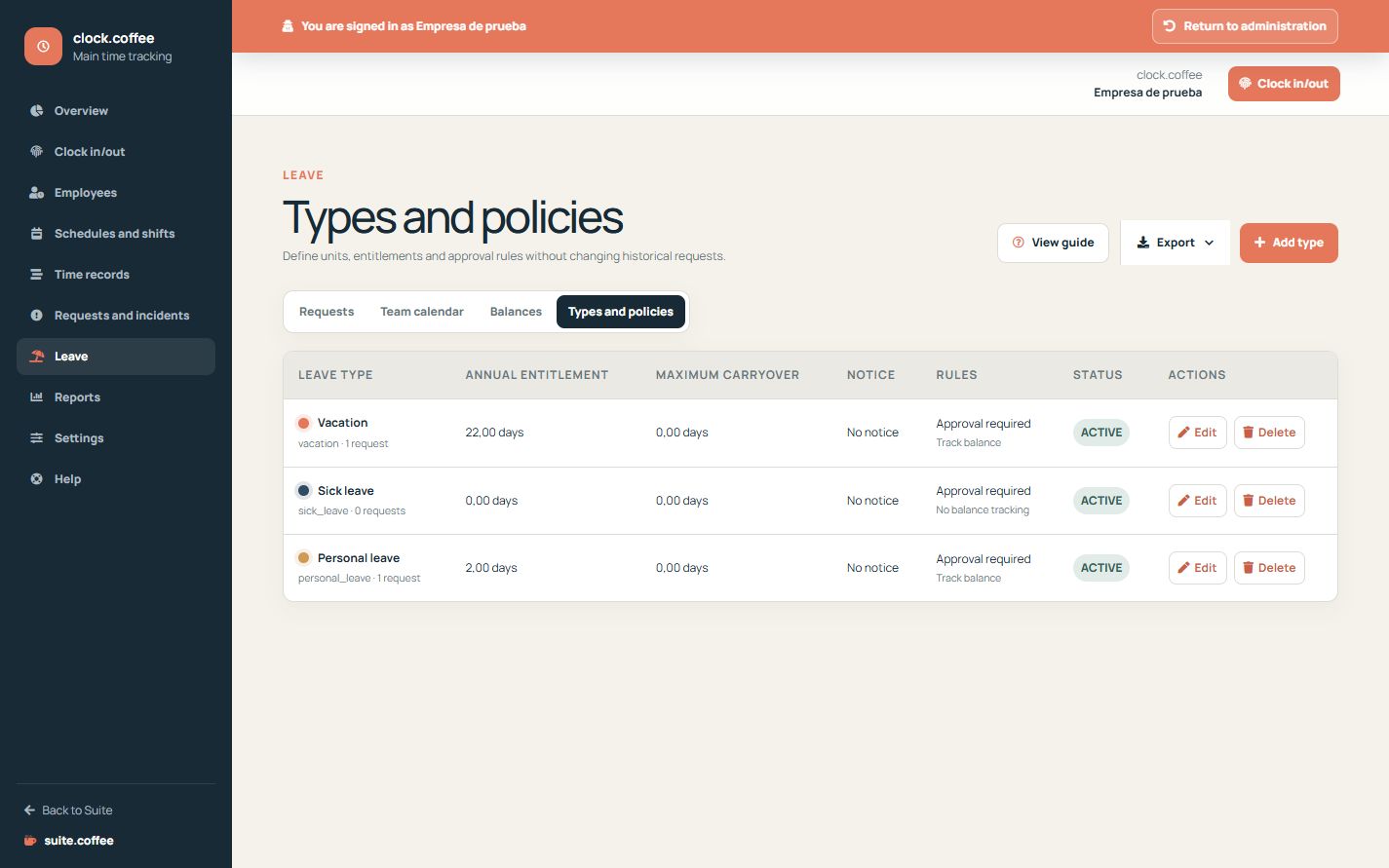
Configure the policy
Choose the unit, annual entitlement, carryover, notice, maximum consecutive working days, approval and negative-balance rules. Enable balance tracking only for types that need it.
Protect history
Policy changes apply to new requests. Existing requests keep their saved policy snapshot, so later configuration does not alter how they were decided.
Adjust balances with a reason
Review granted, used, reserved and available amounts by year. Manual balance changes leave an audit trail and cannot reduce availability below zero when the policy forbids it.
Step by step
- Open Leave and Policies.
- Create or edit the leave type and translated labels.
- Choose units, entitlement, carryover and notice.
- Set approval and negative-balance rules.
- Review yearly balances and record manual changes with a reason.
Final check
- Only necessary types are active.
- Balance tracking uses the correct unit.
- Existing requests retain their saved policy.
Tip: Do not repurpose a historical type; deactivate it and create a new policy when meaning changes materially.