










Prepare the regional context, workplace and clocking rules before employees begin.
Before you start
- Create the first workplace and work calendar.
- Confirm timezone, language and the organisation’s real policy.
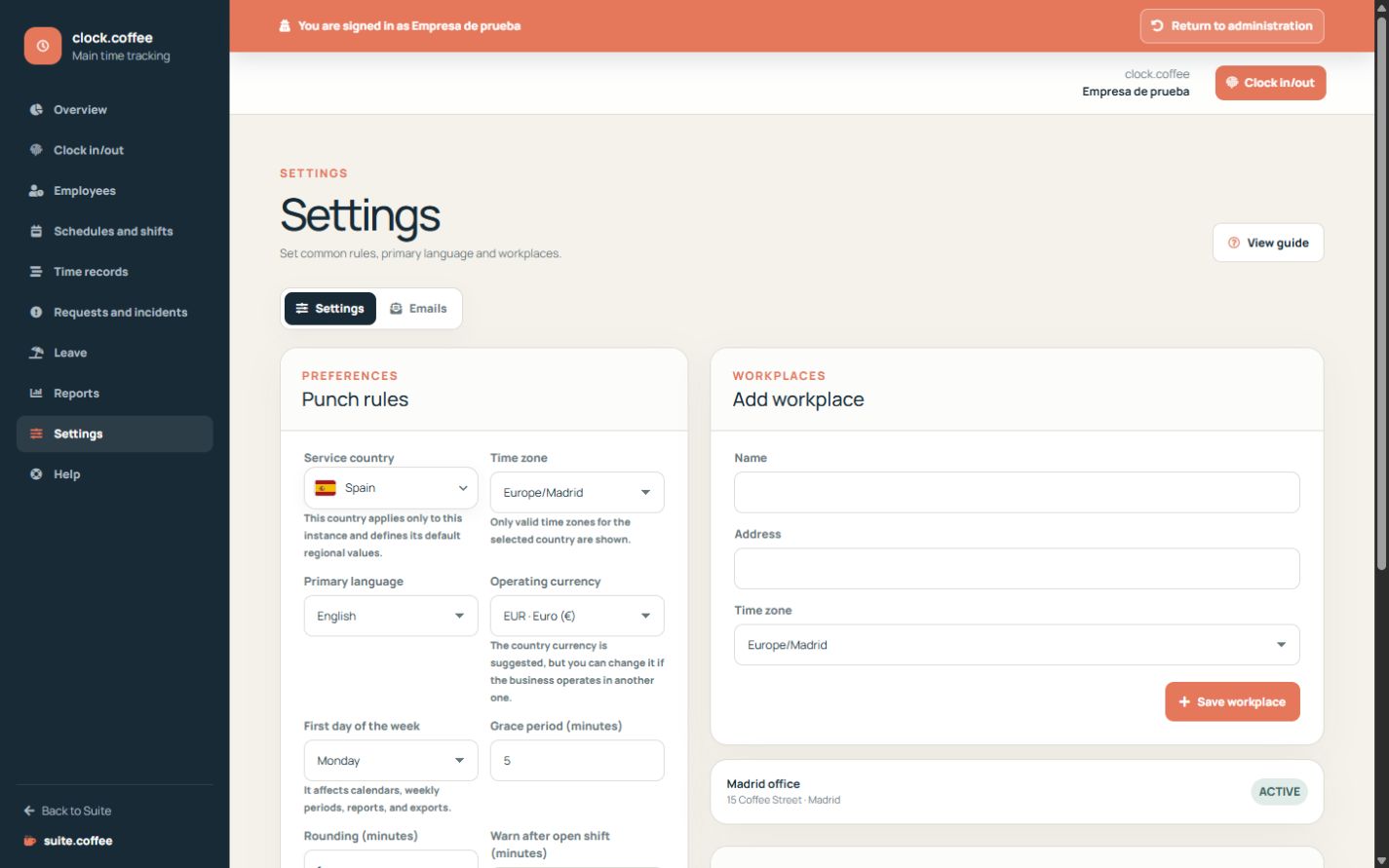
Complete the initial set-up
Create the first workplace, its work calendar and the owner’s usual schedule. Then check the timezone and primary language because they control how dates and times are presented.
Define common rules
Settings include grace time, rounding, open-shift reminders and whether correction requests or a workplace are required. Apply only rules that match your organisation’s actual policy.
Understand the scope
Clock is an operational time-recording tool. Configure and use it according to the employment, record-retention and information duties that apply to your organisation.
Step by step
- Open Settings from Clock.
- Confirm country, timezone, language and currency.
- Set grace, rounding and open-shift reminders.
- Choose whether employees may request adjustments and whether a workplace is required.
- Save and complete a test clock-in and clock-out.
Final check
- Times appear in the intended timezone.
- Rules match the communicated policy.
- The workplace and schedule exist before staff access.
Tip: Configuration supports your policy; it does not replace the legal information and retention duties that apply to the organisation.