










Resolve missing or incorrect clocking without overwriting the original evidence.
Before you start
- Identify the exact shift and source sequence.
- Prepare the requested time and a precise reason.
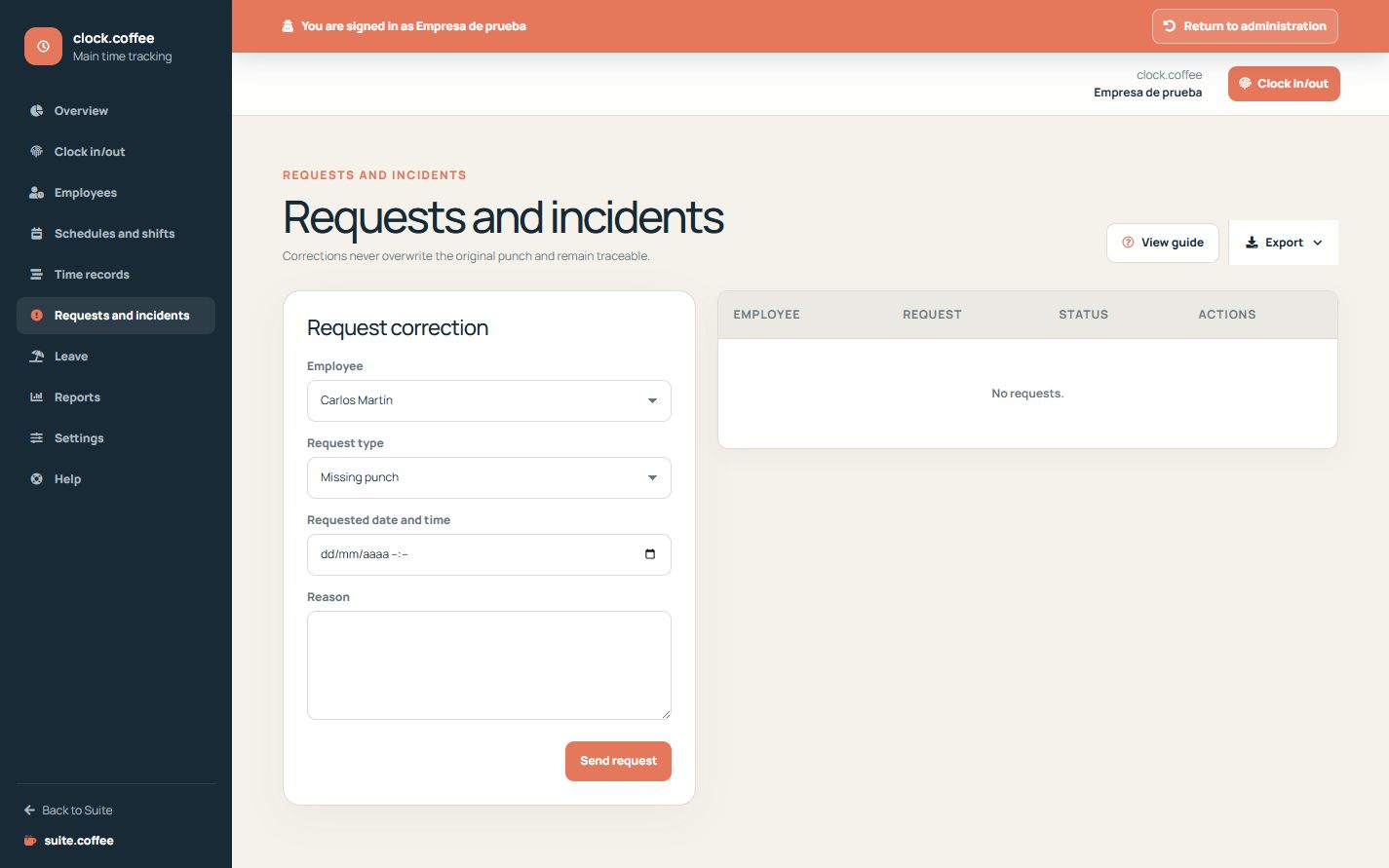
Submit a precise request
Choose missing punch, time change or another incident, enter the requested date and time and explain the reason. The request remains pending until it is resolved when approval is required.
Review with evidence
Compare the request with the original sequence and the employee’s schedule before approving or rejecting it. Use the decision notes to explain the outcome.
Keep traceability
The adjustment produces a reviewed correction while preserving the source punches and request history.
Step by step
- Open Requests and incidents.
- Choose the affected employee and adjustment type.
- Enter the requested date, time and reason.
- Compare the request with punches and schedule.
- Approve or reject with a clear decision note.
Final check
- The request refers to the correct shift.
- The decision is supported by the available evidence.
- The source punches were not overwritten.
Tip: Decision notes should explain the outcome well enough for a later audit.